> For the complete documentation index, see [llms.txt](https://docs.goodfit.io/goodfit-docs/llms.txt). Markdown versions of documentation pages are available by appending `.md` to page URLs; this page is available as [Markdown](https://docs.goodfit.io/goodfit-docs/product/data-explorer.md).
# Data Explorer
Data Explorer gives you full independence to discover, preview, and configure all the data points available to you in GoodFit. You can explore additional data points you may not have used before, and customise configurable data points such as team composition or hiring activity. This gives you far more control over how your dataset is structured and ensures that your GoodFit data always reflects your strategic needs.
### What is it?
Data Explorer is a complete catalogue of the data points available inside the GoodFit platform. You can browse data points, and preview them on your companies. You can also see which data points are already included in your dataset and which ones you might want to add next.
For configurable data points such as hiring or team composition, you can edit your existing definitions or create entirely new ones whenever your strategy changes. Data Explorer is designed to make this process simple and self-serve.
There are a small number of data points not available in Data Explorer, as they require more complex technical setup. If you cannot find a data point that you are looking for, contact us and we will can work out how to capture it for you.
### Why is it useful?
Data Explorer strengthens your ability to segment, score, and understand the companies you are selling to by enriching them with more relevant data. When you have more visibility into each company, segmentation becomes clearer, scoring becomes more accurate, and downstream teams are better equipped to act on the insights.
By enriching your dataset with more relevant data points, you can:
* Identify which companies should be enrolled in a specific campaign
* Define the persona that a message should be sent to
* Increase or decrease scoring based on attributes a company has
* Pull data directly into your messaging (for example, referencing specific technologies they use)
* Distribute companies or define territories using additional data points such as revenue or primary location
### How it works
You can access Data Explorer directly from the Companies page or the Data Points page. Select "Add new data point" to open the Data Explorer modal.
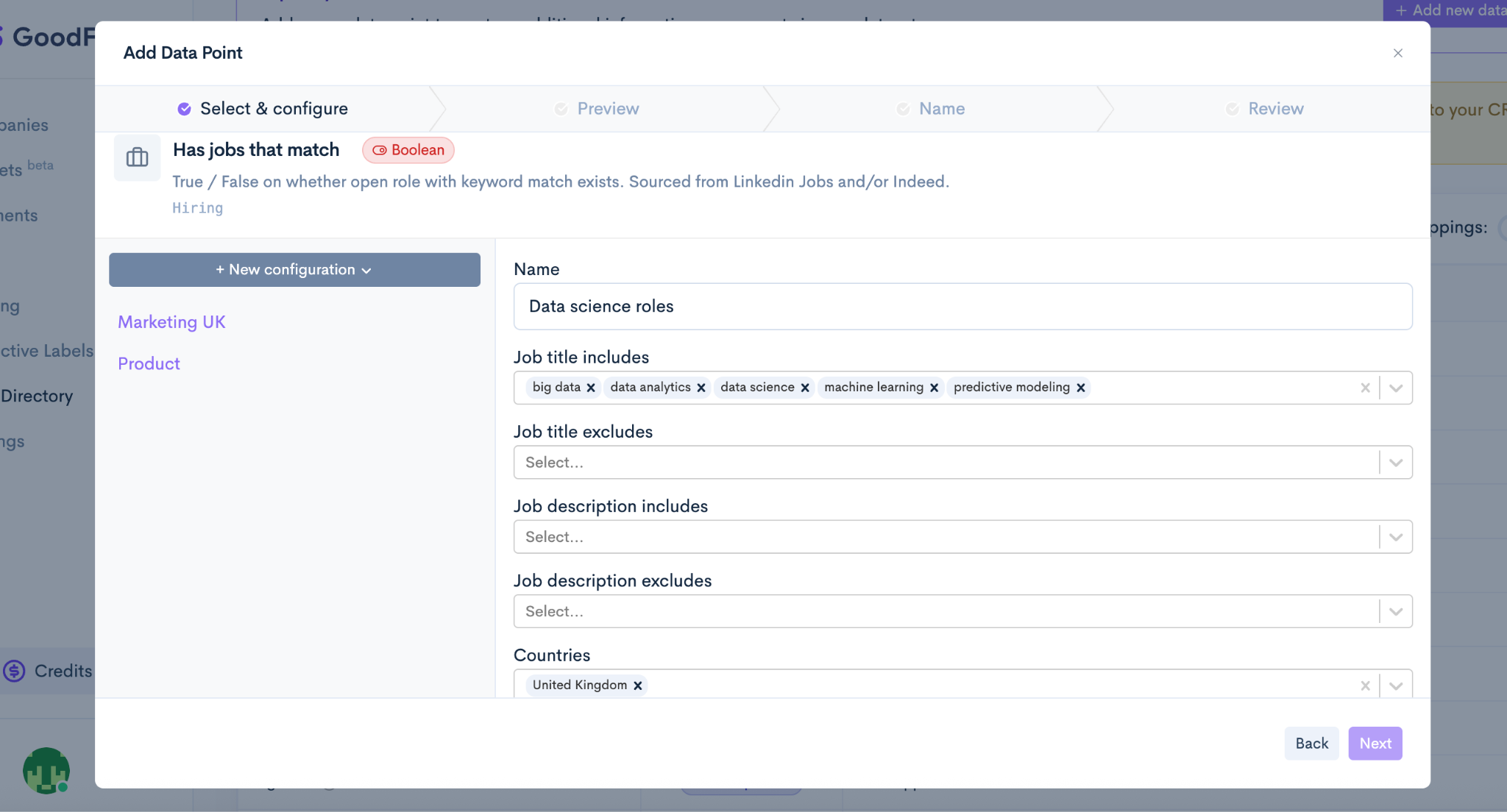
Some data points in Data Explorer are configurable, allowing you to tailor how companies are identified based on your criteria. For example, if you want to find companies hiring for data science roles, you can configure the hiring data point by defining relevant keywords that GoodFit will then use to search job advertisements, ensuring the results reflect your specific definition of that role.
Inside the Data Explorer modal, you can:
* Browse the full list of available data points
* View definitions and sample values (from up to ten companies in your dataset)
* Search or filter to narrow down the options
* Edit existing definitions
* Create new definitions for configurable data points
Once you select the data points you want, they are sent to our team for approval. As soon as they are approved, these data points will appear in your dataset and become available across your GoodFit workflows, including segmentation.
{% embed url="" %}